Tips for Creating a Productive Home Office Environment
Creating a productive home office environment is key to staying focused, motivated, and efficient when working from home. With the right setup and mindset, you can transform any space into a place where you enjoy working and accomplish your tasks effectively. This guide covers simple and practical tips to help you design a home office that supports productivity and well-being.
Choose the Right Location
The first step is selecting a spot in your home where you can work with minimal distractions. Ideally, this place should be quiet and separate from high-traffic areas like the kitchen or living room. If possible, a room with a door can help set boundaries between work time and personal time.
Consider Natural Light
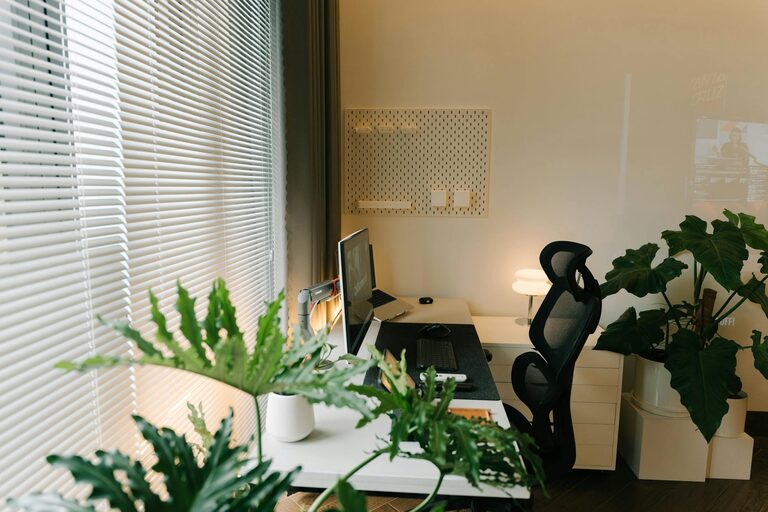
Natural light can improve mood and energy levels. Set up your desk near a window to take advantage of daylight. If natural light is limited, invest in good-quality artificial lighting to reduce eye strain.
Invest in Comfortable and Functional Furniture
Ergonomic furniture is essential for comfort and long-term health, especially if you spend many hours at your desk.
– Ergonomic chair: Choose one that supports your lower back and encourages good posture.
– Adjustable desk: If possible, use a desk with adjustable height to alternate between sitting and standing.
– Ample workspace: Ensure your desk has enough space for your computer, paperwork, and other necessities without feeling cluttered.
Organize Your Workspace
A tidy and organized workspace fosters focus and reduces stress.
– Declutter regularly: Keep only essential items on your desk.
– Use storage solutions: Drawers, shelves, or organizers can help keep supplies in order.
– Cable management: Use clips or ties to keep cords neat and prevent tangling.
Establish a Routine and Set Boundaries
Creating a daily schedule helps maintain a clear separation between work and personal life.
– Set working hours: Stick to consistent start and end times.
– Take regular breaks: Follow techniques like the Pomodoro Method (25 minutes focused work, 5-minute breaks) to stay refreshed.
– Communicate boundaries: Let family members or roommates know your work hours to minimize interruptions.
Minimize Distractions
Creating an environment with fewer disruptions is critical for maintaining concentration.
– Use noise-cancelling headphones: These can help block out household noise.
– Turn off non-essential notifications: Silence social media or personal messages during work hours.
– Set up a “do not disturb” signal: A sign or light can indicate when you’re busy and prefer not to be interrupted.
Personalize Your Space
Making your workspace inviting can improve mood and motivation.
– Add plants: Indoor plants improve air quality and create a calming atmosphere.
– Incorporate personal items: Photos or artwork can make the space feel welcoming.
– Choose colors wisely: Calming and neutral tones are best for concentration, but a splash of your favorite color can inspire creativity.
Optimize Technology and Equipment
Reliable technology ensures smooth work processes.
– High-speed internet: A stable connection prevents interruptions during meetings or downloads.
– Quality accessories: Invest in a good keyboard, mouse, and monitor to increase comfort and efficiency.
– Backup solutions: Use cloud storage or external drives to protect your work data.
Include Movement and Wellness
Taking care of your physical health supports sustained productivity.
– Stretch regularly: Incorporate simple stretches to reduce tension and fatigue.
– Create space for movement: If room permits, have an area nearby for quick exercises or yoga.
– Maintain hydration: Keep a water bottle at your desk to stay hydrated throughout the day.
—
Creating a productive home office is a combination of thoughtful design, practical habits, and self-care. Start with these tips and adjust as needed to find what works best for you. A well-organized and comfortable workspace can make all the difference in your work-from-home experience.