
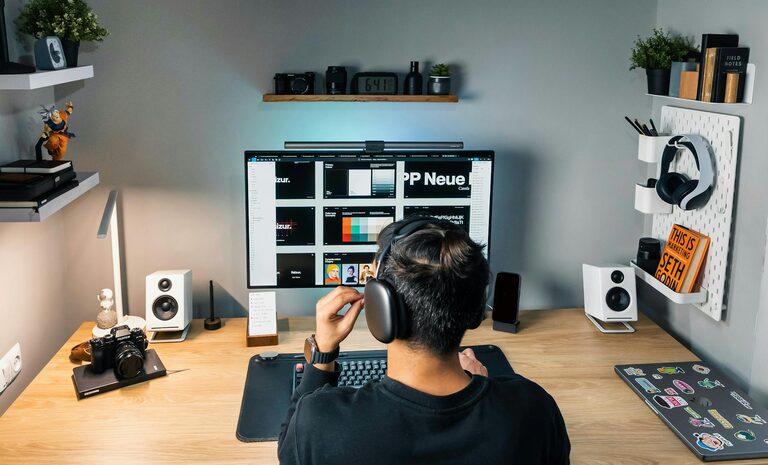
Tips for Creating a Productive Home Office Space
Creating a productive home office space is essential for anyone who works remotely or spends significant time working from home. A well-designed workspace can improve focus, reduce distractions, and make your workday more enjoyable. Whether you have a dedicated room or just a corner in your living room, these tips will help you create an efficient and comfortable home office.
Choose the Right Location
One of the first steps in setting up a productive home office is selecting the best spot in your home. Ideally, this space should be quiet and free from frequent interruptions. Here are some considerations:
– Look for natural light: A space near a window can improve your mood and reduce eye strain.
– Consider noise levels: Choose a location away from noisy appliances or high-traffic areas.
– Think about privacy: If possible, use a room with a door to create a clear boundary between work and home life.
Invest in Ergonomic Furniture
Comfort matters when you spend long hours working. Ergonomic furniture can help prevent back pain and improve posture, contributing to your overall well-being.
– Chair: Choose an adjustable chair with good lumbar support.
– Desk: Opt for a desk with enough surface area to fit your computer, paperwork, and other essentials.
– Monitor height: Position your monitor so the top of the screen is at eye level to avoid neck strain.
Organize Your Workspace
A cluttered desk can distract you and reduce productivity. Keeping your workspace tidy helps maintain focus and improves efficiency.
– Use storage solutions: Shelves, drawers, and file organizers can keep documents and supplies in order.
– Keep only essentials on your desk: Limit what lies within arm’s reach to items you use daily.
– Cable management: Use clips or sleeves to keep cords organized and out of sight.
Establish Good Lighting
Proper lighting reduces eye strain and helps maintain energy throughout the day.
– Use natural light as much as possible.
– Add a desk lamp with adjustable brightness for focused tasks.
– Avoid harsh overhead lighting or glare on screens.
Personalize Your Space
Adding personal touches can make your home office more inviting without becoming distracting.
– Include a few plants to bring life and improve air quality.
– Hang artwork or photos that inspire you.
– Use colors and decorations that boost your mood.
Minimize Distractions
Staying focused at home can be challenging. Implement strategies to minimize interruptions.
– Set specific work hours and communicate them to your household members.
– Use noise-canceling headphones or play background music if it helps concentration.
– Turn off non-essential notifications on your devices while working.
Optimize Technology Setup
Your tools should support your work smoothly.
– Reliable internet connection: Choose a spot with the best Wi-Fi signal or use an Ethernet cable.
– Quality equipment: Invest in a good keyboard, mouse, and headset.
– Backup solutions: Regularly save your work and use cloud storage for extra security.
Incorporate Movement Breaks
Sitting for long periods can harm health and productivity.
– Take short breaks every hour to stretch or walk.
– Consider a sit-stand desk to alternate your position.
– Use reminders or apps to prompt movement breaks.
Set Boundaries Between Work and Home Life
Creating a clear separation between work and personal time helps reduce stress.
– Avoid working in bed or on the couch; limit work tasks to your designated office.
– At the end of the day, shut down your computer and tidy your desk to signal the close of work.
– Develop a routine that transitions you in and out of your workday.
—
By thoughtfully designing your home office space, you can create an environment that supports productivity, comfort, and balance. Remember, the best setup is one that fits your personal habits and work needs, so feel free to adjust these tips to what works best for you.
